TK11 App
The TK11 App helps you stay in control with simple tools that track time, monitor activity, and set healthy boundaries. For players in Bangladesh, the app works with Dhaka’s local options like bKash, Nagad, and Rocket to help you manage on-device credits without hassle.

TK11 App Safety and Player Protection
When you start with the TK11 App, you’ll see clear limits and prompts that help you pause when you need a break. The goal is to keep play fun and balanced, not to interrupt your day. In Bangladesh, you’ll also find options that align with local payments and devices, so staying in control is simple.
Here are practical steps you can take right away to keep things healthy. Most users complete their first setup in under 3 minutes and report smoother control over how long they stay in an action session.
- Set a daily time limit and choose how often you want a reminder to pause. This creates a natural stopping point and avoids drifting longer than intended.
- Enable in-app prompts that appear at your chosen interval. Short, friendly nudges can help you switch tasks without fuss.
- Apply a personal cap on your on-device credits and review usage weekly. You can adjust the cap as your routine changes.
Longer, optional steps you can explore later
As you get comfortable, explore additional controls like scheduled breaks and session-length reminders. These features are designed to be lightweight and easy to toggle on or off in your TK11 settings.
For quick reference, use the TK11 App to manage limits directly from Dhaka or other parts of Bangladesh, with seamless support via local mobile wallets when you need to fund on-device credits. If you’d like more detail on how these tools work, our About section has a complete guide to the features.
Learn more about practical safety tips in the About page, or check how to get help via our Contact page if you have concerns.
Check In with TK11 App
- Have you played longer than you planned today?
- Have you spent more time or on-device credits than you intended?
- Do you feel urges to continue when you should pause?
- Have you used a reminder before starting again?
- Would a short break or self-exclusion window help right now?
Tools You Can Use with TK11 APK
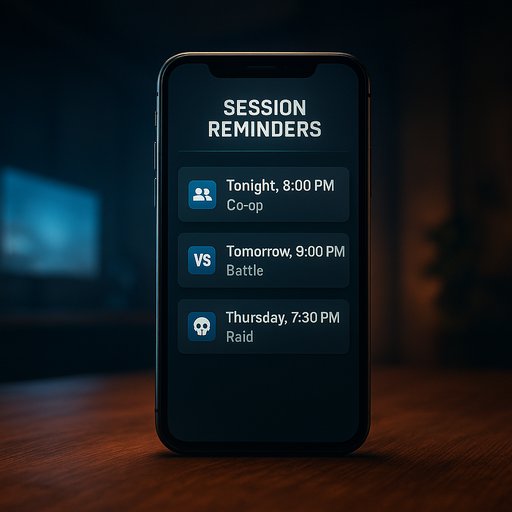
Session Reminders
Turn on reminders after a chosen time. Pick 15, 30, or 60 minutes to pause and reset.
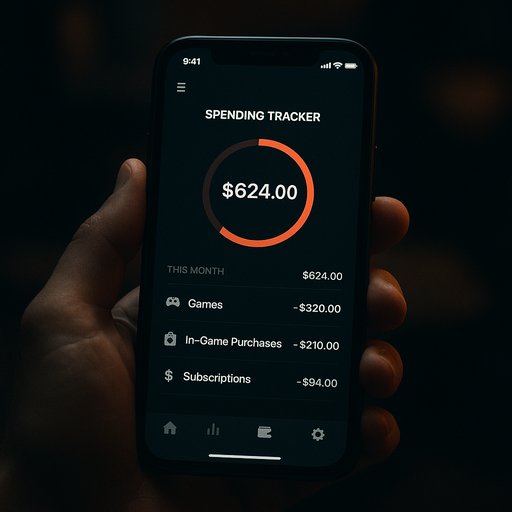
Spending Tracker
Watch your on-device credits and set a sensible cap. The tracker updates in real time to keep you informed.
Self-Exclusion Option
Choose a break period and lock access for that time. You can resume when you’re ready, on your terms.
Finding Support for TK11 App Users
- Gambling Therapy — offers confidential online support and self-help resources; visit gamblingtherapy.org.
- BeGambleAware — provides practical guidance and self-help tools; visit begambleaware.org.
- Dhaka-area counseling options — local clinics or hospitals often provide confidential mental health support; ask a nearby health professional for available services.
Take the Next Step with TK11 App
If you’re looking to start a safer routine, download the TK11 APK and begin your setup. The TK11 Login screen will guide you through secure access, and you can create a new TK11 Register account in minutes.
If you have concerns or just want to chat about safer play, reach out through the Contact page. For direct access, you can also download the TK11 APK now.